What HelloKeyboardAI actually changes
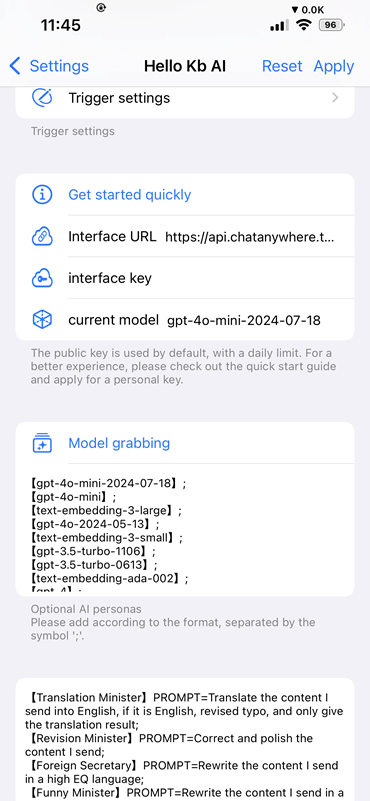
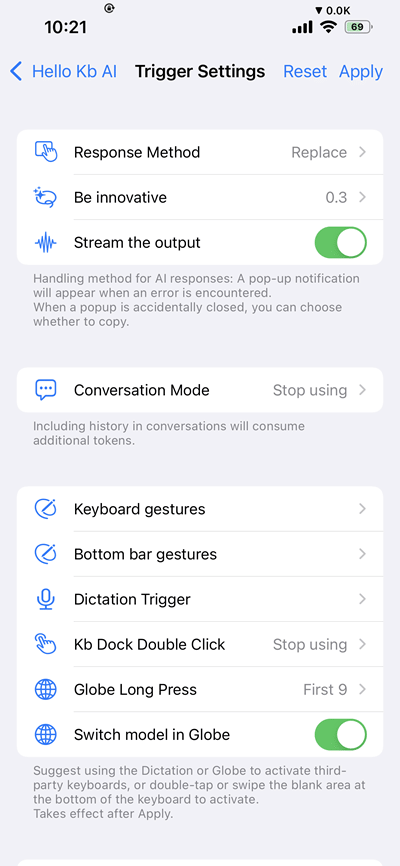
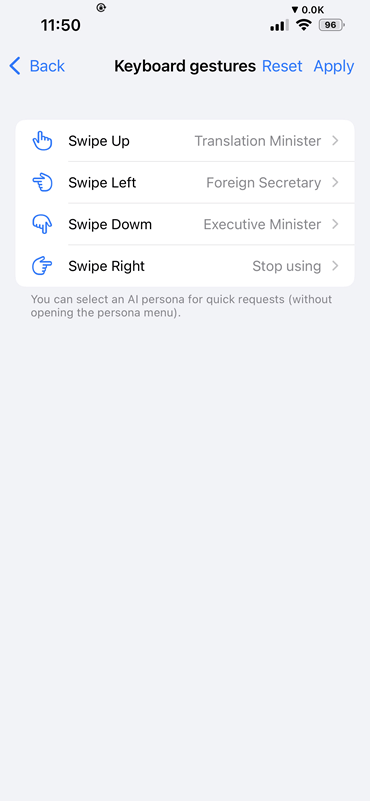
The tweak is designed around quick AI activation from the keyboard. Its interface lets the user assign entry points such as keyboard gestures and then choose how the AI result is returned.
That makes the package more than an icon or launcher: the real feature is the text workflow shown in the screenshots below. The preference pane is where response behavior, gestures and feedback are configured.
- Assign AI actions to upward, downward, left and right keyboard gestures.
- Analyze selected or existing text, replace it with the result, or copy the analyzed response to the clipboard.
- Configure entry points involving the keyboard bottom bar, dictation control, keyboard dock or globe key.
- Choose response behavior and haptic feedback from the tweak's preference pane.
Real interface and feature screenshots
The images below come from the credited package or editorial source. They are not generated phone illustrations.
Compatibility and requirements
- Havoc lists iOS 14.0 through iOS 17.3.1.
- The current listing identifies rootless support.
- The package feed lists arm and arm64 variants plus MobileSubstrate and PreferenceLoader dependencies.
- Confirm that an AI service/account requirement shown during setup is acceptable before purchasing.
Installation checklist
- Open the official Havoc listing and confirm compatibility with your exact iOS and jailbreak combination.
- Purchase or download only through the official source shown in your package manager.
- Install the build for your bootstrap architecture, then follow the package manager's respring instruction.
- Open HelloKeyboardAI preferences, configure one gesture first, and test it with non-sensitive text.
- Add more gestures only after confirming that the first action behaves as expected.
Frequently asked questions
What does HelloKeyboardAI do?
It adds configurable ways to activate AI-related text actions from the iPhone keyboard.
Is it a separate keyboard?
The package is presented as a jailbreak tweak that adds behavior to the iOS keyboard rather than a third-party keyboard app.
Which iOS versions are listed?
Havoc lists iOS 14.0 through iOS 17.3.1 and identifies rootless support.
Why are two versions mentioned?
The package feed recorded 6.3.0-6, while Havoc's public page showed 6.3.0-3 when checked. The build actually offered by the official source is the one to verify.
Package identifier: com.zqbb.hello.keyboard.ai · Details checked 14 August 2026. Compatibility can change; re-check the linked source before installing.