
What IconTweak2 actually changes
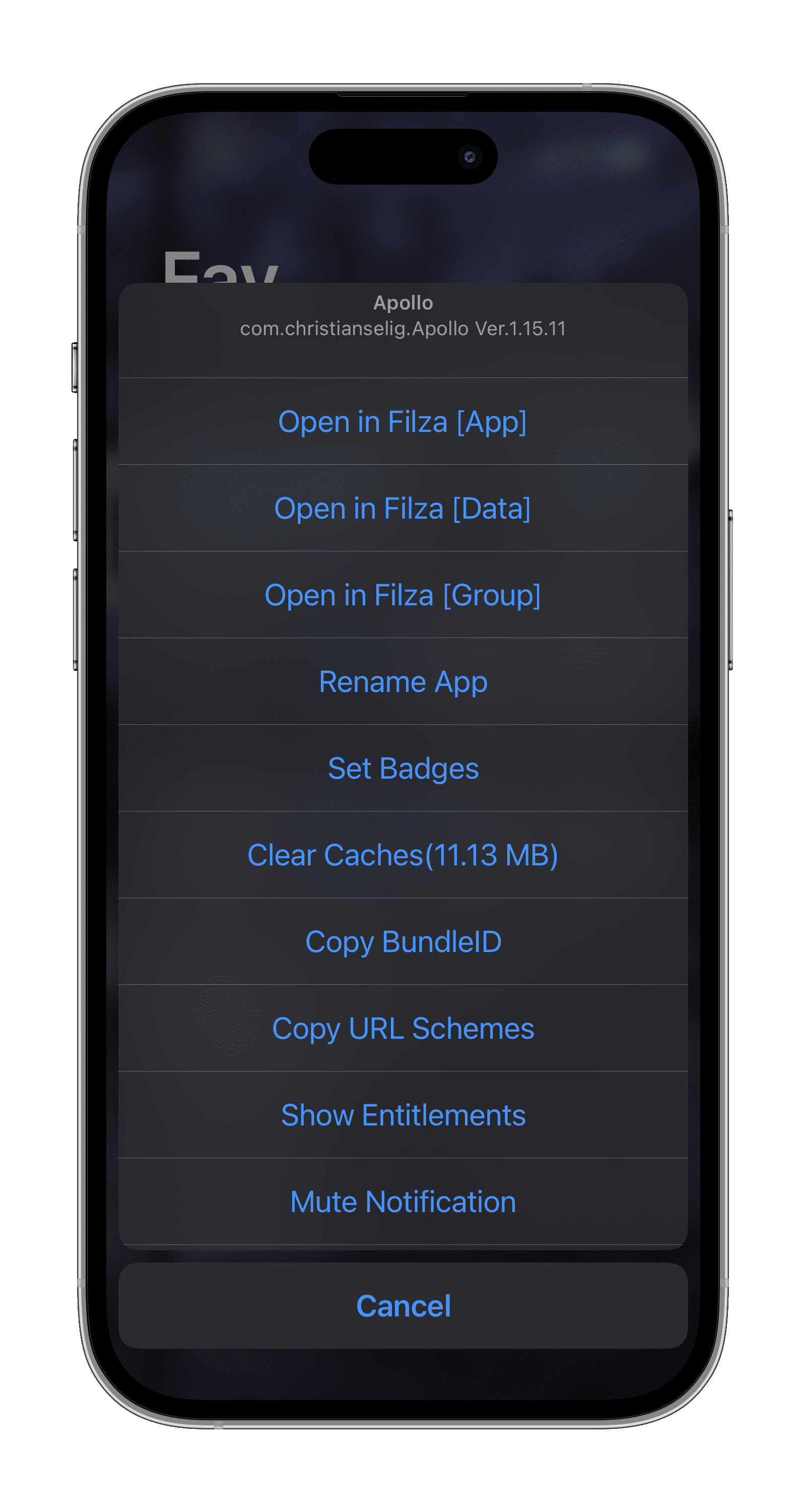
The official description is concise: swipe icons to show a control menu. The important difference from the old generic illustration is visible in the real screenshots—the tweak places a native-looking action sheet directly over the Home Screen.
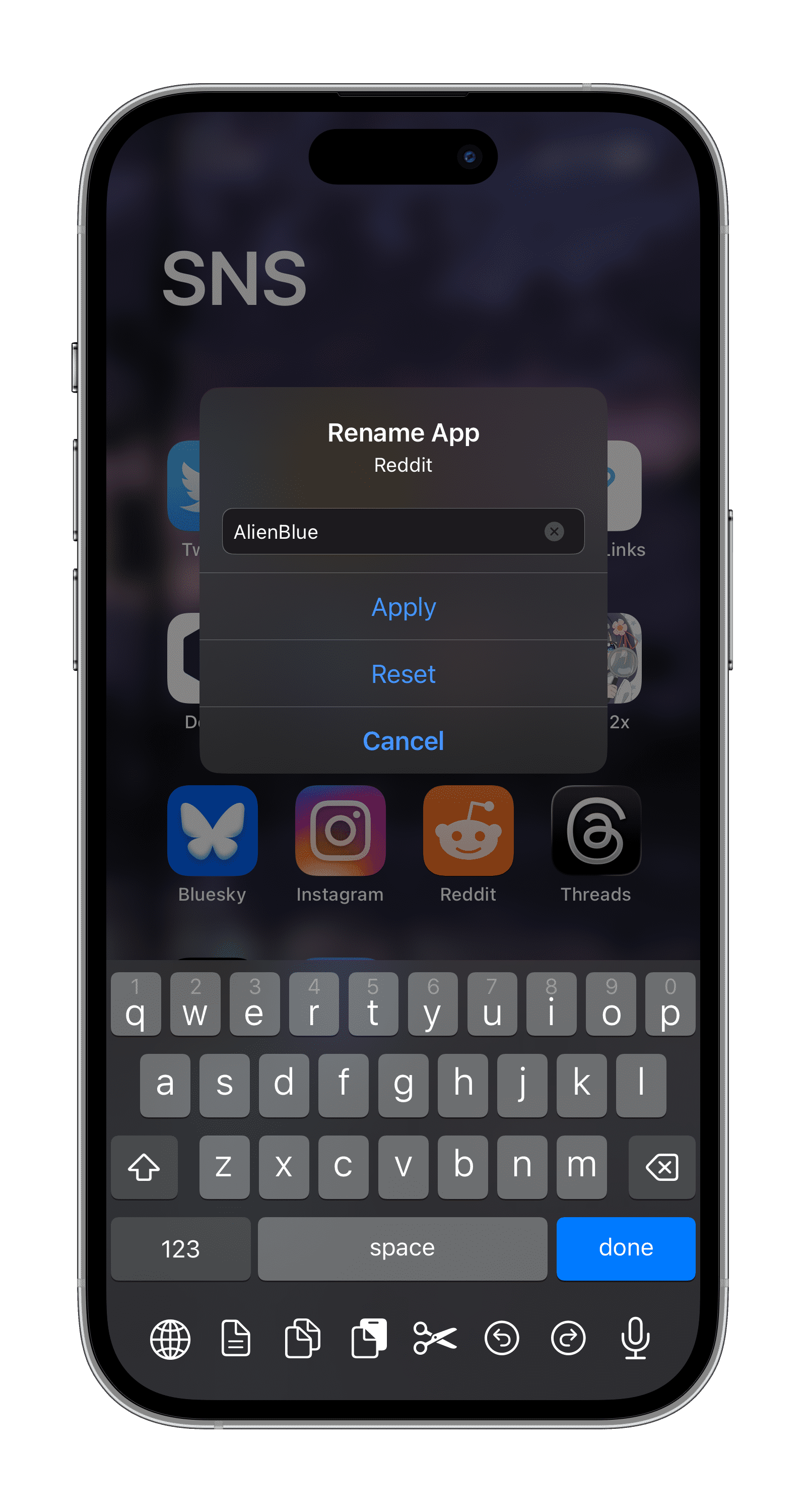
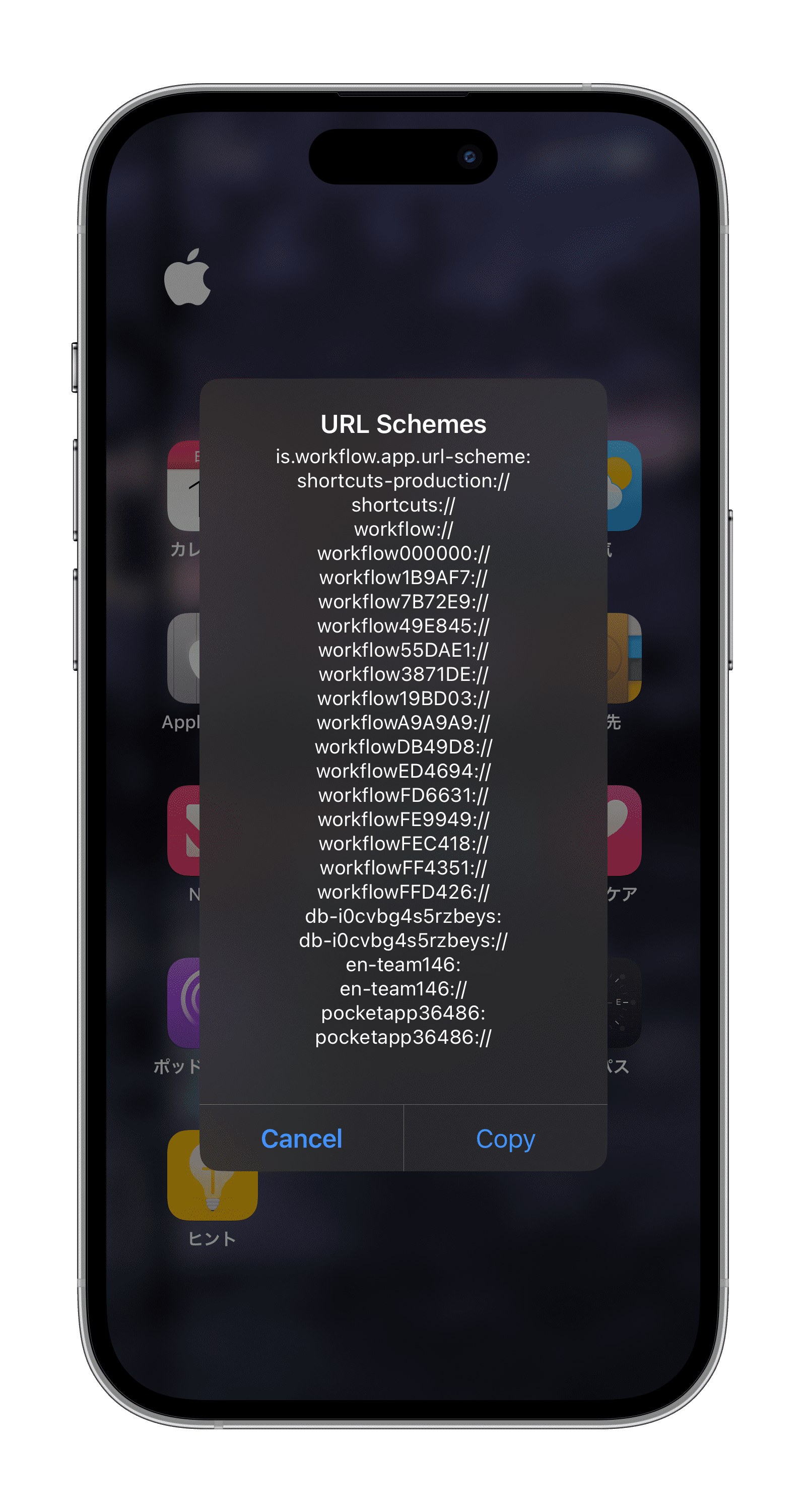
Its settings screen is used to control the gesture and menu behavior. Because the available actions can change between builds, the current official listing and the menu on your device are the reliable references.
- Open a control menu with a swipe on an app icon.
- Keep app-specific actions close to the icon that they affect.
- Configure the tweak from a dedicated preference pane.
- Use a rootless-compatible build on the iOS versions listed by Havoc.
Real interface and feature screenshots
The images below come from the credited package or editorial source. They are not generated phone illustrations.
Compatibility and requirements
- Havoc lists iOS 15.0 through iOS 26.0.1.
- The current package listing identifies rootless support.
- The source page lists the tweak as a paid package.
- Check the exact action list shown by your installed build before depending on a particular shortcut.
Installation checklist
- Check the official Havoc page against your iOS version and jailbreak.
- Install only the package provided through the official listing.
- Respring if requested, then open the tweak's preferences.
- Choose a gesture that will not conflict with another Home Screen tweak.
- Test the menu on one non-essential app before using any maintenance action.
Frequently asked questions
What is the main IconTweak2 gesture?
The official listing describes swiping an icon to display a control menu.
Does it support rootless jailbreaks?
Havoc currently identifies the package as supporting rootless environments.
What iOS range is listed?
The public listing shows iOS 15.0 through iOS 26.0.1.
Is IconTweak2 free?
No. Havoc listed it at $2.99 when checked.
Package identifier: com.ichitaso.icontweak2 · Details checked 14 August 2026. Compatibility can change; re-check the linked source before installing.