
What iFetch changes
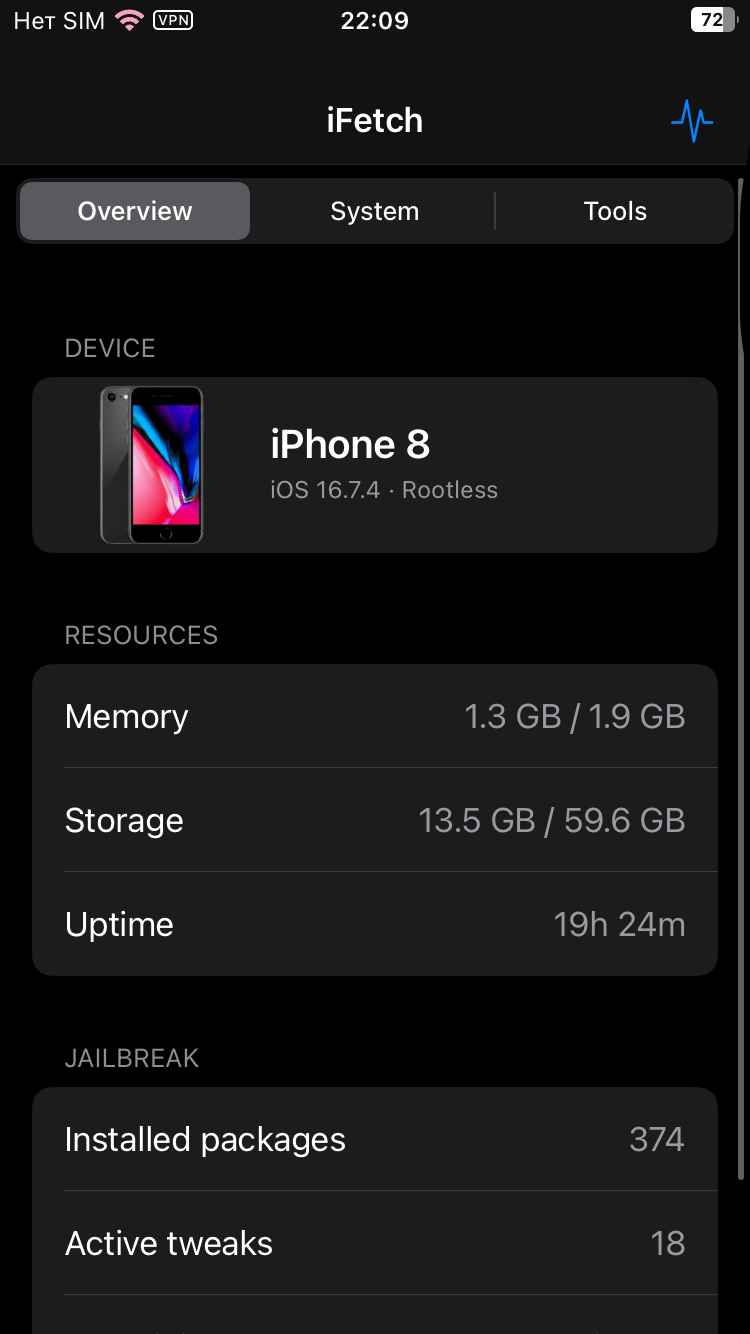
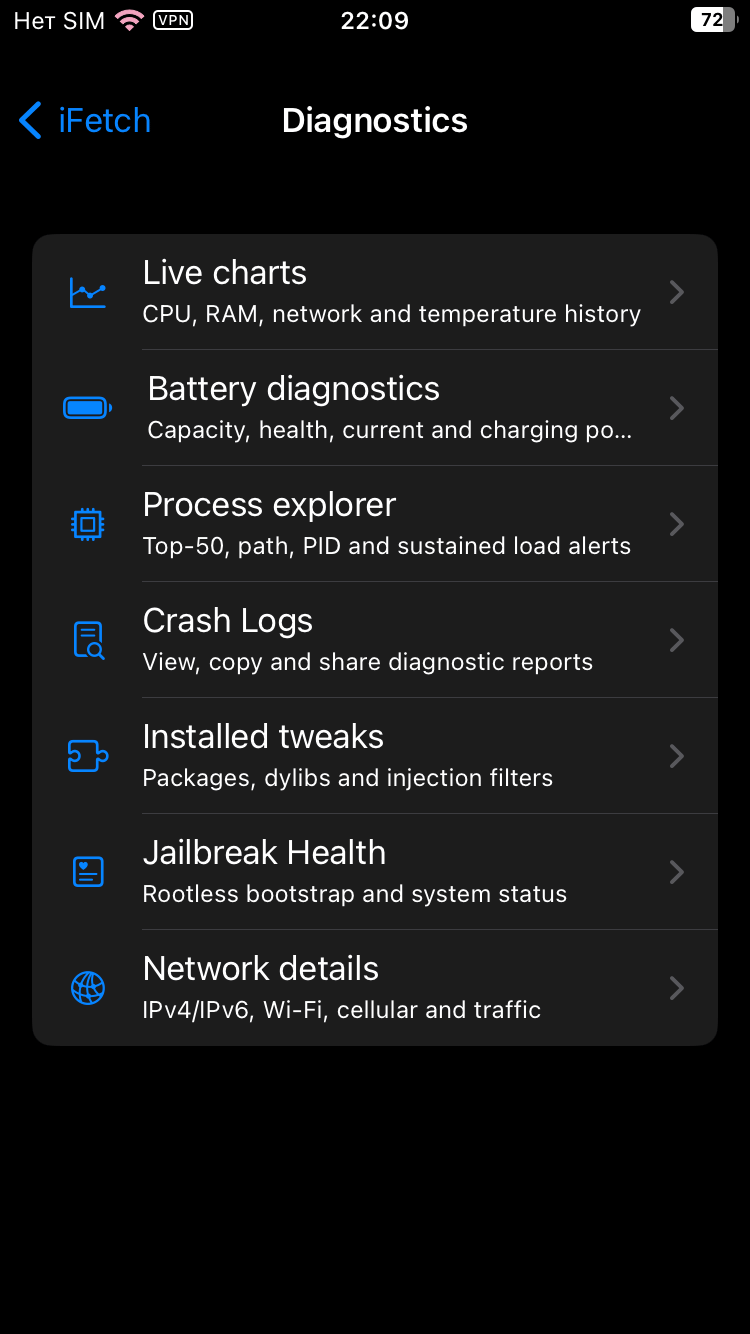
- Provides advanced system diagnostics according to the package description.
- Includes a process monitor.
- Includes a CLI fetch feature.
- Is described for rootless jailbreak devices.
- Is described for RootHide jailbreak devices.
- Targets the iphoneos-arm64 architecture in version 6.0.0.
See iFetch in action
These are real feature images from the credited package or developer listing, not generated phone mockups.


Compatibility and requirements
The package metadata lists iphoneos-arm64 and firmware requirements of >= 14.0 and < 18.0. Its description specifically labels support for rootless and RootHide jailbreak devices on iOS 14–17. Confirm that your jailbreak environment, architecture, and the listed dependencies are available from the verified source page before installation.
Installation checklist
- Open the verified source page for iFetch 6.0.0 and review the package details, version, architecture, and dependency list.
- Confirm that your device uses a supported jailbreak environment: the description names rootless and RootHide devices, while your exact setup should still be checked against the source information.
- Confirm your device meets the metadata requirements labeled firmware >= 14.0 and firmware < 18.0; do not assume these values describe anything beyond the supplied package requirement.
- Confirm that the iphoneos-arm64 package architecture matches your device and jailbreak environment.
- Check whether mobilesubstrate and com.opa334.ccsupport are already available and compatible with your setup. Do not proceed if a required dependency is unavailable or unsuitable.
- Use your normal jailbreak package manager to locate the verified iFetch 6.0.0 listing, then review the installation prompt before approving it.
- After installation, follow your jailbreak workflow for any required respring or restart, and look for the iFetch interface or command-line entry described by the package source.
- If the package does not appear, a dependency cannot be satisfied, or the device does not match the metadata, stop and consult the verified source page rather than forcing installation.
What to know before installing
- Jailbreaking and installing system utilities can affect device behavior and may create recovery or troubleshooting work if the package or its dependencies do not match your setup.
- Back up important data before changing jailbreak packages or installing a system-level utility.
- The metadata lists mobilesubstrate and com.opa334.ccsupport as dependencies; verify their availability and compatibility independently before installation.
- Do not install an architecture or jailbreak variant that does not match your device. The listed release is iphoneos-arm64.
- Keep the package source and release identity clear when downloading: this entry is iFetch version 6.0.0, package identifier com.wee1ka.ifetch.
Frequently asked questions
What is iFetch 6.0.0?
iFetch 6.0.0 is a System & Utilities package by weeka. Its description lists advanced system diagnostics, a process monitor, and CLI fetch functionality.
Which devices and jailbreak environments are named in the metadata?
The description names rootless and RootHide jailbreak devices on iOS 14–17. The release architecture is iphoneos-arm64. Verify your exact device and jailbreak setup on the verified source page.
What are iFetch 6.0.0’s dependencies?
The metadata lists firmware >= 14.0, firmware < 18.0, mobilesubstrate, and com.opa334.ccsupport. Confirm that each requirement is available and suitable for your environment before installing.
Is iFetch 6.0.0 an update?
Yes. The catalog marks the change type as updated, and the previous version is listed as 5.1.1. The current release is 6.0.0.
Which package architecture is available?
The supplied release identity is for iphoneos-arm64. No other architecture is listed in the package metadata.
Package identifier: com.wee1ka.ifetch · Published 2026-08-19 · Source details checked against the linked package listing.