What NextUp 3 changes
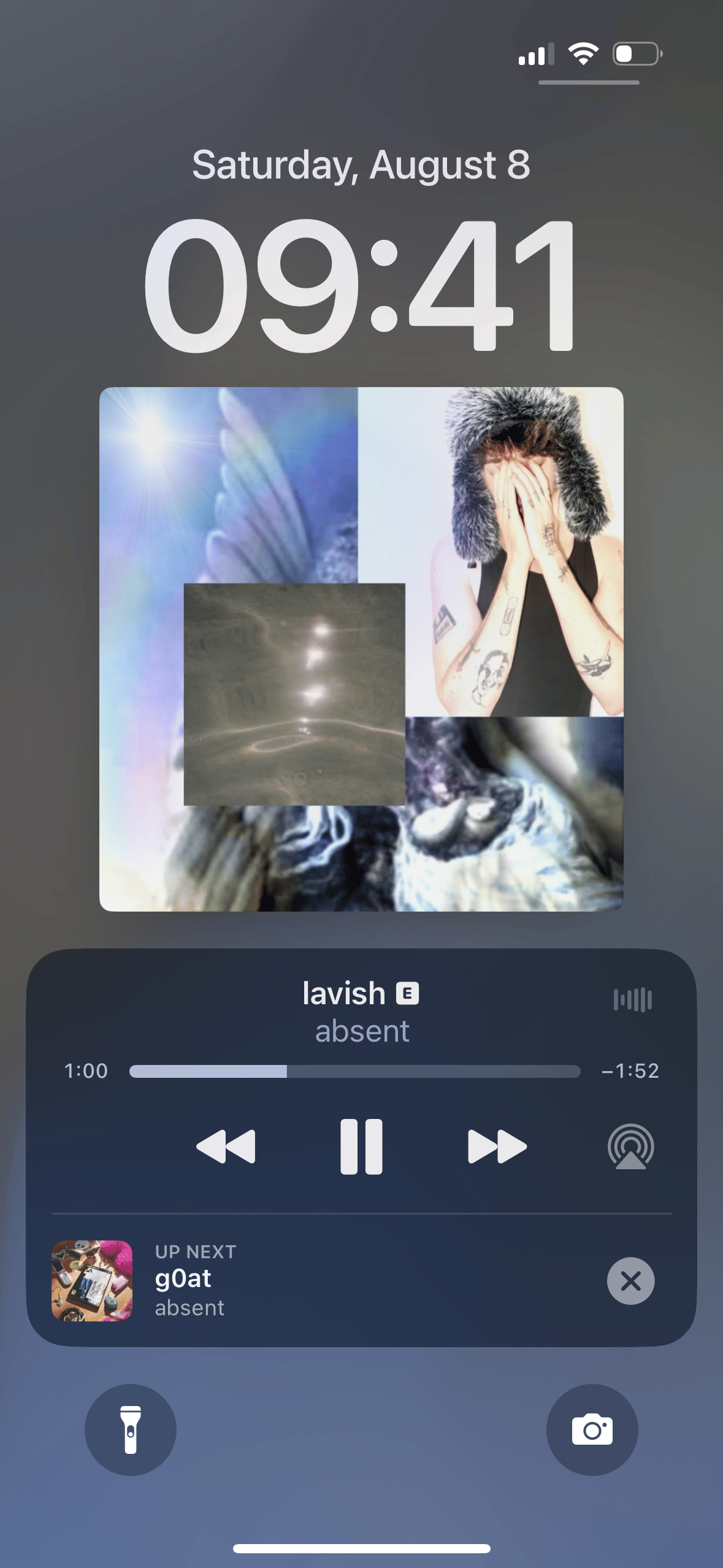
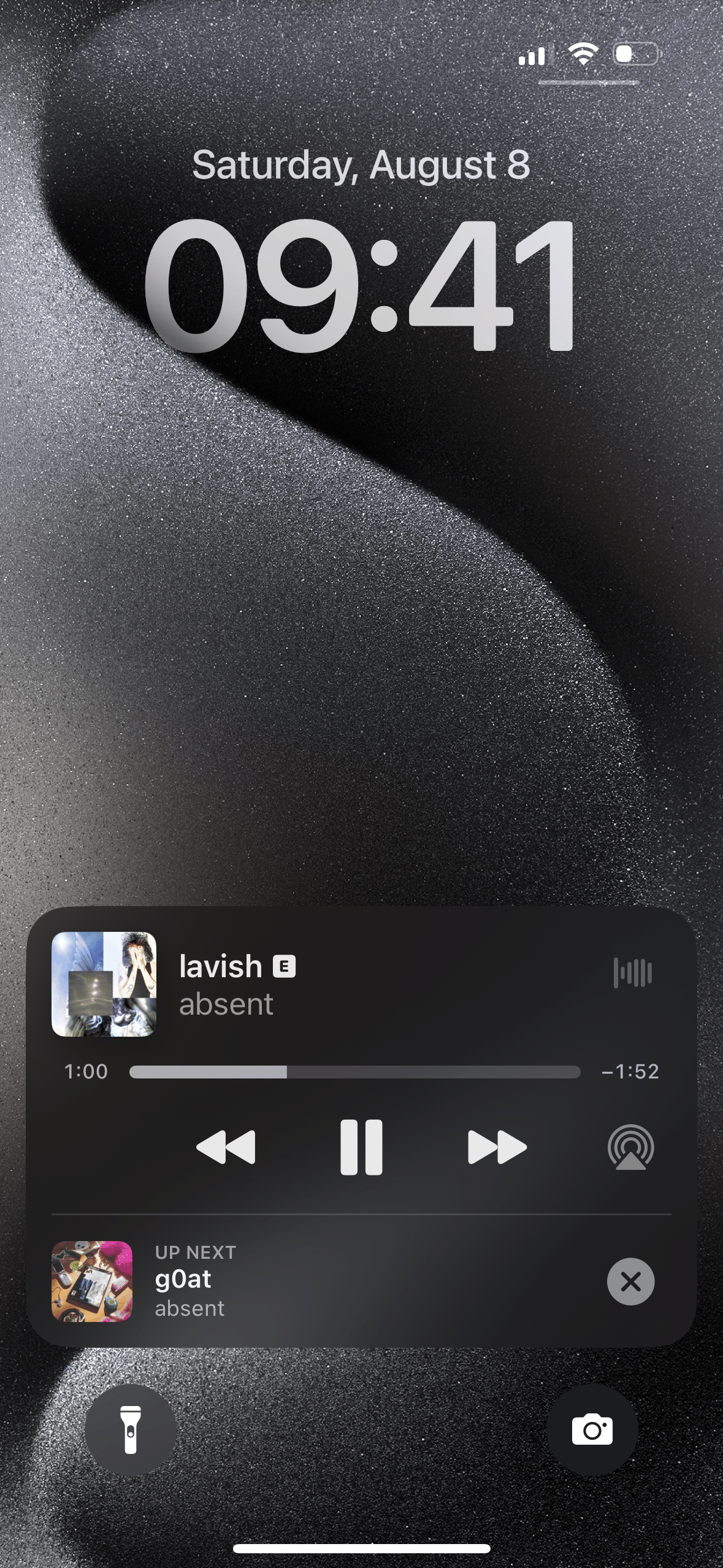
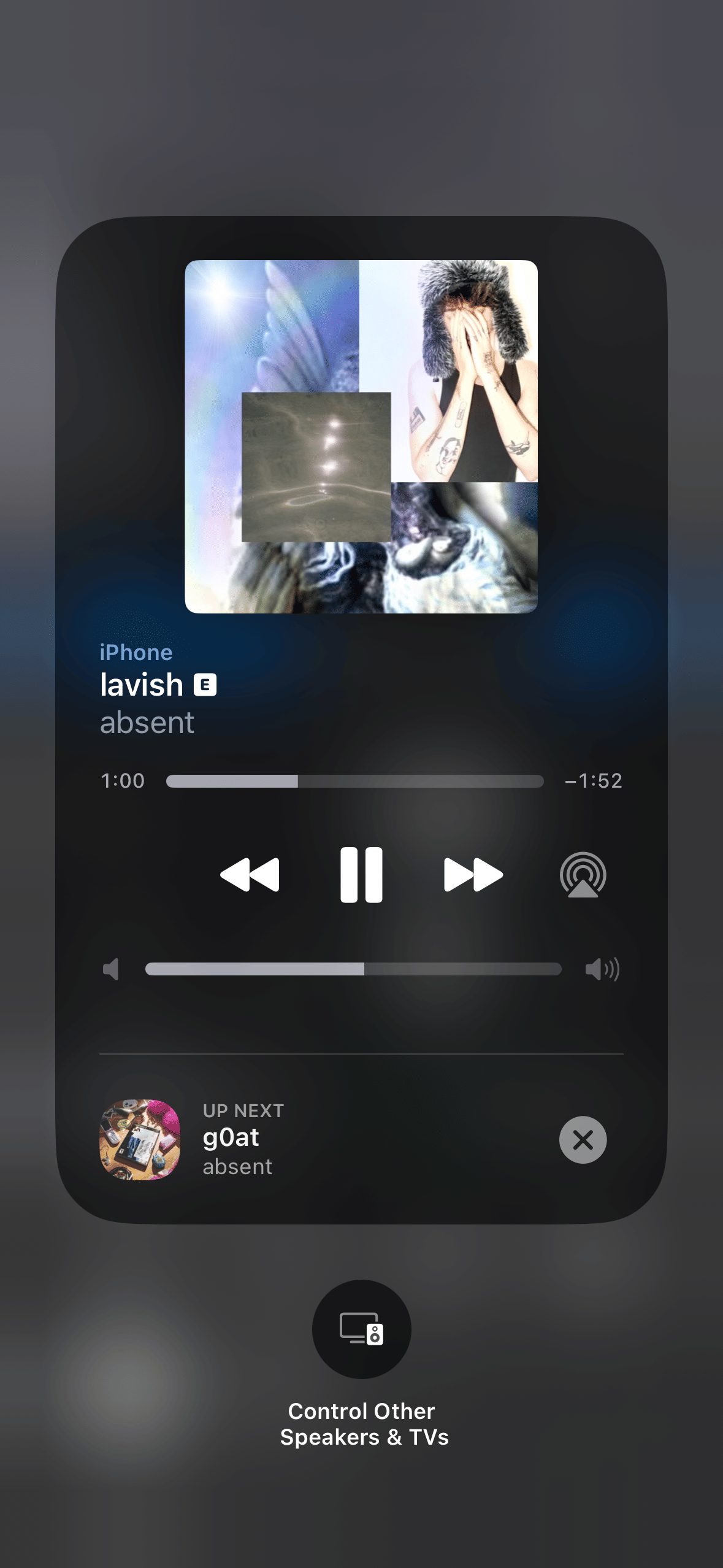
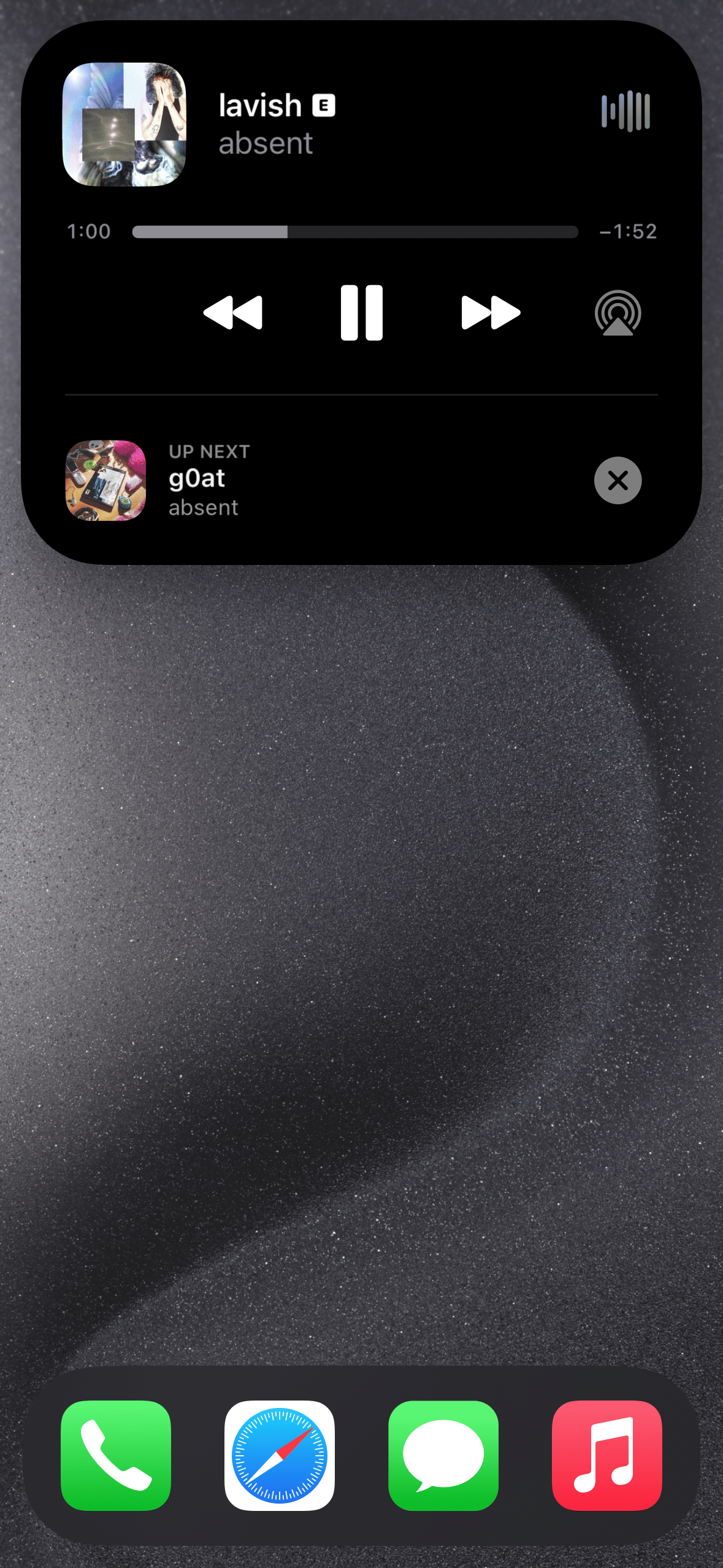
- Shows the upcoming track in the now-playing UI, according to the package description.
- Provides a way to skip the upcoming track from the now-playing UI, according to the package description.
- Lists Apple Music, Apple Podcasts, YouTube, YouTube Music, and Spotify as supported apps.
- Lists the Lock Screen, Control Center, and Dynamic Island as supported now-playing locations.
- Provides release variants for iphoneos-arm and iphoneos-arm64.
See NextUp 3 in action
These are real feature images from the credited package or developer listing, not generated phone mockups.
Compatibility and requirements
The package description lists support on iOS 14.2–26. The dependency field separately lists firmware version 14.2 or later, along with ellekit or mobilesubstrate version 0.9.5000 or later, com.opa334.libsandy, and preferenceloader. Check your jailbreak architecture and dependency availability before proceeding. The supplied facts do not confirm compatibility beyond these listed details.
Installation checklist
- Identify whether your jailbreak environment uses iphoneos-arm or iphoneos-arm64, the two architectures listed for version 1.1.2.
- Review the package details on the linked source page and compare the listed compatibility information with your environment.
- Check whether the declared dependencies are available for your setup: ellekit or mobilesubstrate version 0.9.5000 or later, firmware version 14.2 or later, com.opa334.libsandy, and preferenceloader.
- Confirm that the package architecture and dependency requirements match your environment before proceeding.
- Use a package manager to locate NextUp 3 version 1.1.2 from the source identified by the site.
- Read the package and dependency information before approving installation. Do not assume that the package manager will resolve or install every dependency.
- Install only after checking architecture and dependency availability for your setup.
- After installation, inspect the listed now-playing locations and compare what appears with the package description. The supplied facts do not provide post-installation or troubleshooting instructions.
What to know before installing
- Check architecture and dependency availability before installing; the package lists separate iphoneos-arm and iphoneos-arm64 variants.
- Do not treat the firmware dependency as additional compatibility information beyond what the package metadata states.
- The supplied facts do not provide troubleshooting, rollback, or post-installation instructions. Consult documentation for your environment before making changes.
- Use the linked source page to review the package details and current listed requirements before proceeding.
Frequently asked questions
What is NextUp 3 version 1.1.2?
It is a package by Yves whose description says it shows the upcoming track and provides a way to skip it from the now-playing UI.
Which apps are listed as supported?
The package description lists Apple Music, Apple Podcasts, YouTube, YouTube Music, and Spotify.
Where is the feature listed as available?
The description names the Lock Screen, Control Center, and Dynamic Island.
Which architectures are provided?
Version 1.1.2 has package variants for iphoneos-arm and iphoneos-arm64.
What dependencies are listed?
The metadata lists ellekit or mobilesubstrate version 0.9.5000 or later, firmware version 14.2 or later, com.opa334.libsandy, and preferenceloader.
Package identifier: com.yves.nextup3 · Published 2026-08-21 · Source details checked against the linked package listing.