What Reo actually changes
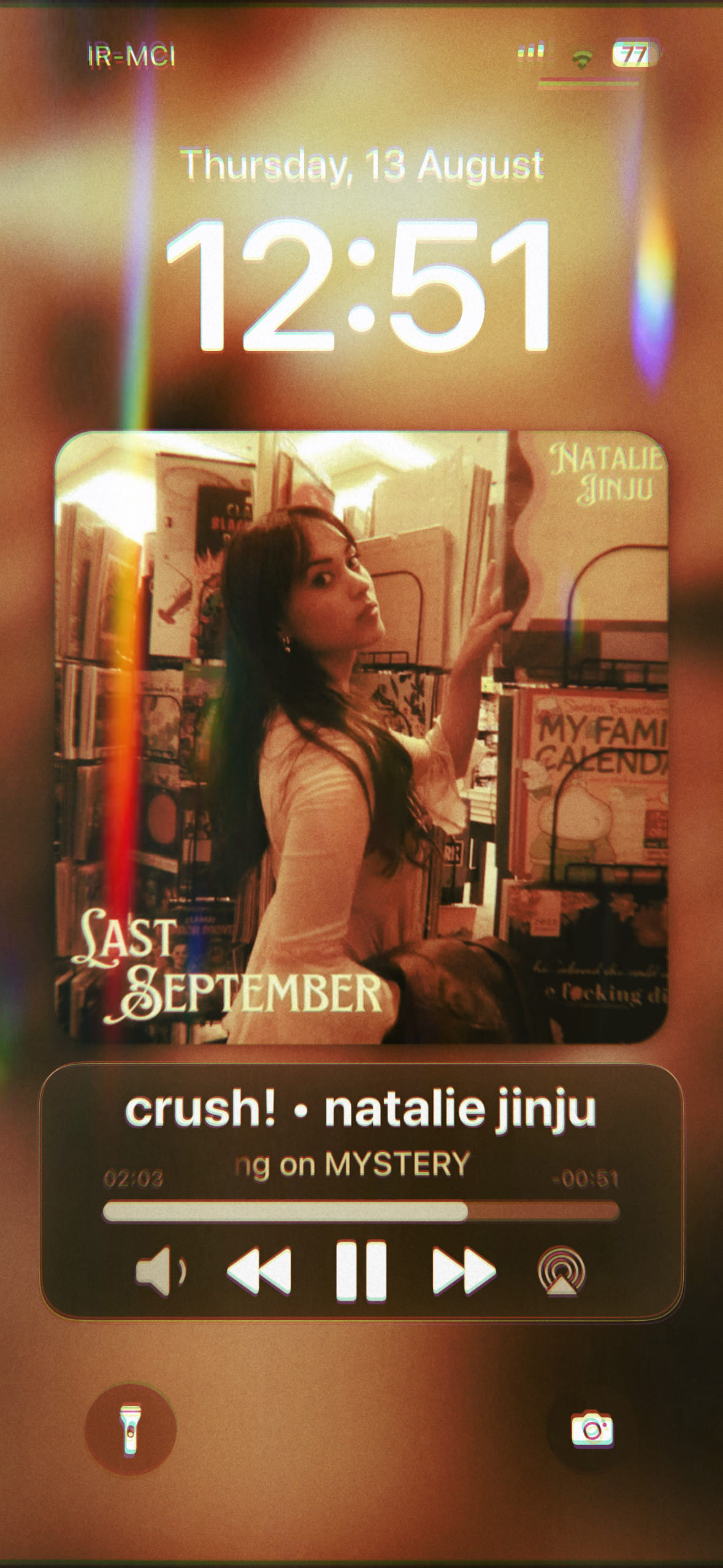
The tweak focuses on the Lock Screen Now Playing view. It changes the hierarchy of artwork, track information and controls instead of applying a generic theme to the entire system.
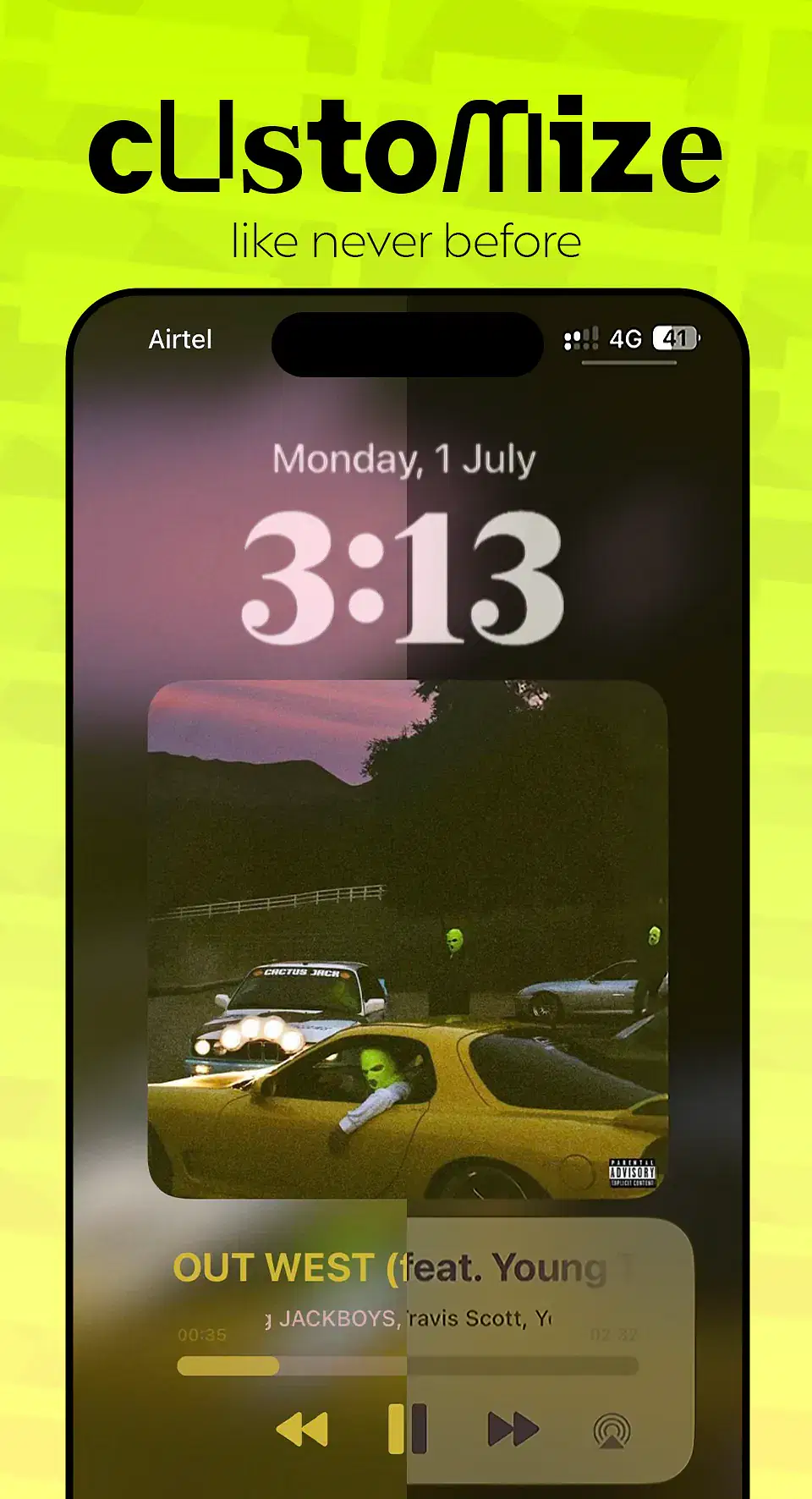
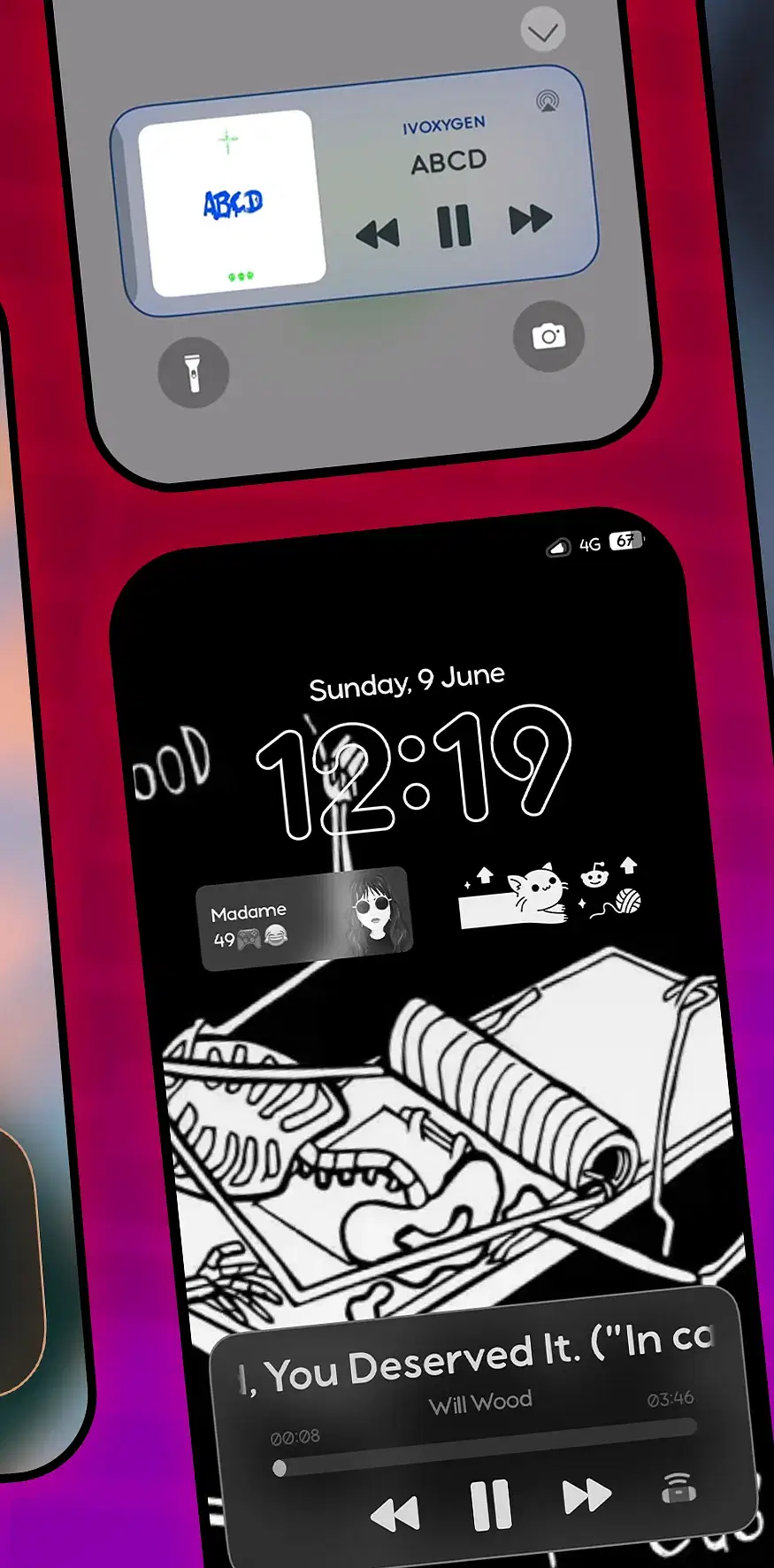
Multiple official screenshots matter here because Reo is highly visual. They show the player presentation and the available preference panels more clearly than any illustrated phone mockup could.
- Replace the stock Lock Screen media player with a custom artwork-led design.
- Adjust the presentation through Reo's preference pane.
- Use layouts demonstrated in the official package screenshots.
- Run the current rootless-compatible build on the iOS range listed by Havoc.
Real interface and feature screenshots
The images below come from the credited package or editorial source. They are not generated phone illustrations.
Compatibility and requirements
- Havoc lists iOS 14.0 through iOS 17.3.1.
- The current listing identifies rootless support.
- The package is listed at $1.99.
- Other Lock Screen or Now Playing replacements may overlap, so isolate conflicts before assuming Reo is at fault.
Installation checklist
- Verify your iOS and jailbreak against the current Havoc page.
- Purchase and install Reo from the official source.
- Respring if the package manager requests it.
- Start music playback, lock the device and inspect the default Reo layout.
- Change one visual setting at a time so it is easy to identify any conflict.
Frequently asked questions
What part of iOS does Reo change?
Reo changes the Lock Screen music or Now Playing presentation.
Is Reo a complete system theme?
No. Its listed purpose is the Lock Screen player rather than a whole-device theme.
Does it support rootless?
Havoc currently identifies Reo as rootless-compatible.
Which iOS versions are listed?
The public package page lists iOS 14.0 through iOS 17.3.1.
Package identifier: com.reo.mystery · Details checked 14 August 2026. Compatibility can change; re-check the linked source before installing.