
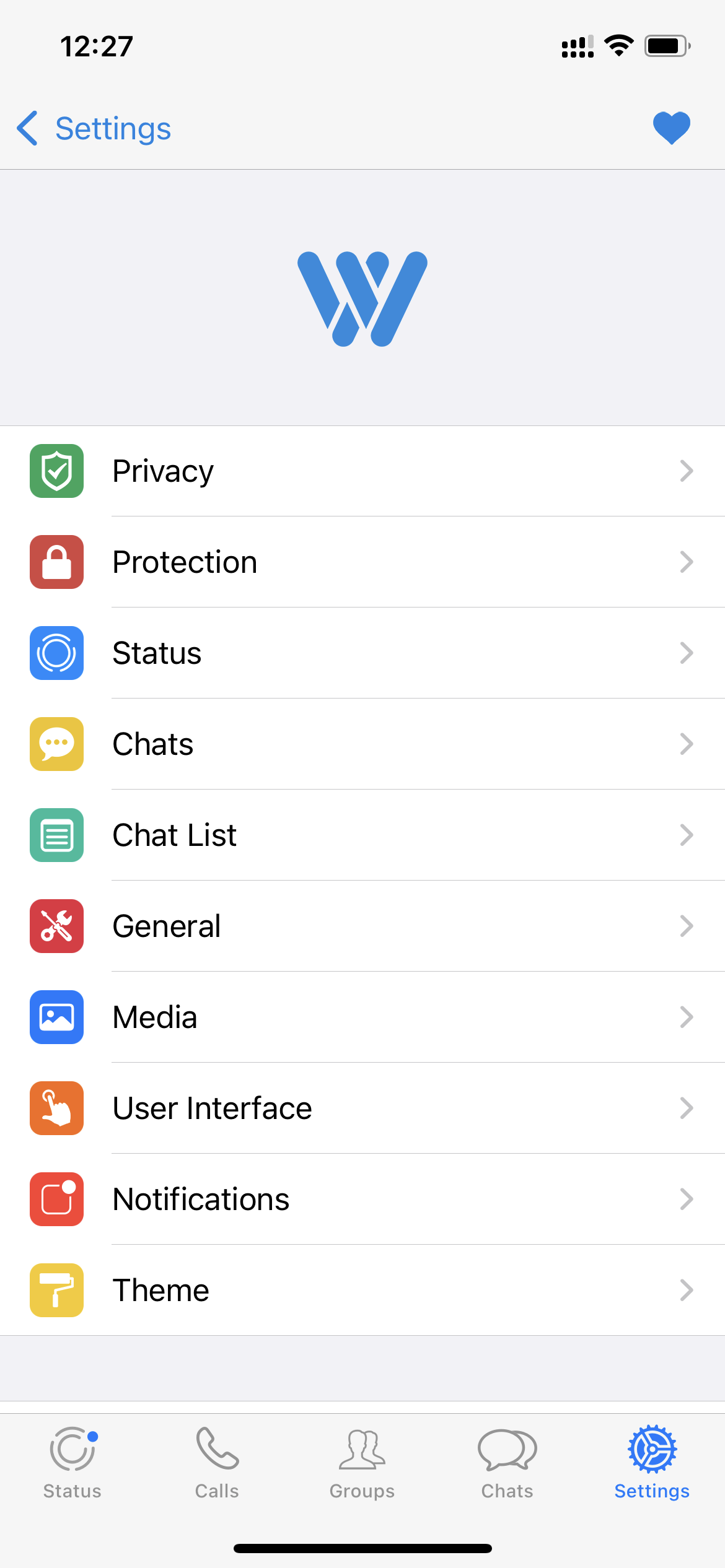
Watusi 3 version 1.3.22 was released on August 24, 2026 with support for WhatsApp 26.32.x and a concentrated set of bug fixes. This is not a feature-count update where the headline is one new switch. The important story is compatibility: WhatsApp changed multiple internal behaviors, and several Watusi features that depend on those behaviors needed to be updated.
That distinction matters for jailbreak users because app-specific tweaks live on top of software they do not control. When WhatsApp changes a media picker, moves status data to a different internal storage system or modifies a view controller, a tweak can lose access to the exact hooks it previously relied on. A maintenance release like 1.3.22 is therefore often more useful than a release packed with new experimental options.
What Watusi 3 1.3.22 fixes
Fouad's official changelog lists seven separate areas addressed in this release, in addition to general support for WhatsApp 26.32.x. The fixes cover chat media selection, status tools, custom tones and interface controls.
The media-picker crash is one of the most important fixes
A tweak can be technically impressive and still become frustrating if a common workflow such as attaching a photo crashes the host app. Fouad specifically lists a fix for a crash when selecting media in chats, alongside the repair for Unlimited Photos Selection.
Those two fixes are related from a user-experience perspective even if their internal causes are different. Media selection is one of WhatsApp's most frequently used paths. Users who rely on Watusi to expand how many photos can be chosen at once need that expanded behavior to remain compatible with WhatsApp's current picker.
Because the official changelog describes the outcome rather than publishing the implementation details, it would be speculation to claim exactly which WhatsApp class or selector changed. What we can say confidently is that both the crash and the unlimited-selection feature were explicitly addressed in 1.3.22.
Why WhatsApp's status-storage change matters
The most technically interesting part of the changelog is the status fix. Fouad says WhatsApp is rolling out a new internal status storage system to some users, and that this change broke Watusi's Mark as Seen, Keep Deleted Statuses and download-button functions.
This also explains why a Watusi feature may fail for one user while working normally for another even when both are on similar app versions. Large apps frequently roll out backend and internal architecture changes gradually. Two users can therefore receive different behavior without installing different App Store binaries at the same moment.
Version 1.3.22 adds compatibility for this newer status-storage path. For users who noticed their status download button disappearing or deleted-status tools no longer behaving correctly, this is the part of the release most directly relevant to them.
Custom notification tones now save correctly
Watusi includes a Custom Tones feature that lets a user import additional sounds and assign a tone to a specific chat. The official 1.3.22 notes say a selected per-chat tone could fail to persist and fall back to the default tone.
The update fixes that saving behavior. This is a good example of a small bug with a disproportionate daily impact: users configure a personal tone precisely because they expect that preference to remain attached to the contact or conversation.
Hide Mic Button and long status videos
Two other regressions fixed in 1.3.22 concern Watusi's interface and status customization. The Hide Mic Button option is listed as working again, and Split Long Videos in statuses is also repaired.
The long-video option is particularly useful when a user has media longer than WhatsApp's accepted status segment and relies on Watusi to divide the clip automatically. When WhatsApp modifies the underlying status upload flow, a tweak that performs this split can need compatibility work even though the visible user option itself has not changed.
What Watusi 3 is designed to do
Watusi 3 is one of the broader WhatsApp tweak packages available for jailbroken iPhones. Fouad's official package page describes features including hidden chats, contact spoofing, custom notification tones and a stickers manager. It also notes an optional Control Center integration through CCSupport.
The tweak is configured from inside WhatsApp rather than forcing users into a separate standalone settings app for every option. That design keeps most Watusi controls near the app they affect, which is especially helpful given the large number of features Watusi exposes.
Watusi is available in multiple languages, with the official page listing English, Arabic, German, Spanish, French, Italian, Portuguese and Turkish. This is worth noting because localization matters for a tweak that adds a large settings interface inside a widely used messaging application.
Compatibility: Watusi 3 1.3.22 and WhatsApp 26.32.x
Fouad's current official Watusi page lists version 1.3.22, updated August 24, 2026, with iOS 15.1 or later as the compatibility floor. The changelog specifically says 1.3.22 adds bug fixes and support for WhatsApp 26.32.x.
That advice is especially relevant because WhatsApp changes quickly. Watusi's recent version history shows repeated maintenance releases tied to new WhatsApp branches such as 26.30.x, 26.29.x and 26.27.x. The pattern shows that compatibility work is an ongoing part of the project rather than a one-time task.
Should you update to 1.3.22?
If you use WhatsApp 26.32.x, the answer is straightforward: 1.3.22 is the Watusi release explicitly designed to support that branch. It also makes sense to update if you have experienced the media picker crash, broken status tools, a non-working Hide Mic Button, Custom Tones reverting to default, or failed long-video status splitting.
If your current WhatsApp and Watusi combination is stable and you depend on a carefully controlled jailbreak setup, you can still review the changelog before changing anything. Stability-focused users often keep known-working combinations until they have a reason to move.
How to install or update Watusi 3
Use Fouad Raheb's official jailbreak repository rather than downloading random repackaged files. The official repository is designed for package managers such as Sileo and contains the current Watusi 3 build. Open your package manager, refresh sources, locate Watusi 3 and verify that the version shown is 1.3.22 before upgrading.
- Add or refresh Fouad's official repository in your jailbreak package manager.
- Search for Watusi 3 for WhatsApp.
- Confirm that the package is from Fouad Raheb and that the version is 1.3.22.
- Review dependencies and any package-manager warnings before installing.
- After the package installs, respring or restart the target app if your jailbreak environment requests it.
- Open WhatsApp and verify the Watusi settings and the specific features you rely on.
Our source check
For this article, Next Jailbreak used Fouad Raheb's own project pages as the factual source. The official Watusi changelog provides the complete 1.3.22 change list and release date. The official package page describes Watusi's core feature set, while the official app page lists version, developer and compatibility information. The image used above is taken from Fouad's official Watusi screenshot gallery.
We used a package-update feed only to notice that a new Watusi release existed. It is not the factual source for the article and is intentionally not linked as a source here.
Bottom line
Watusi 3 1.3.22 is a compatibility update worth paying attention to if WhatsApp 26.32.x is part of your setup. Its strongest changes are not flashy new switches; they are repairs to existing tools that many users rely on every day. Fixing media selection crashes, status compatibility, custom-tone persistence and broken interface options makes the release more important than its version number alone suggests.